DigiPrintz Logo

Art Specifications

Guidelines for Direct-to-Film (DTF) transfers

Powered by Stoopid DTF Logo

Ready-to-Print Artwork for Stoopid DTF Transfers

DigiPrintz prints your art exactly as it’s submitted. Follow these specifications so your DTF transfers press clean, sharp, and “Stoopid” good.
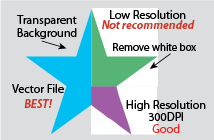
Vector art preferred
Transparent backgrounds
Minimum line & space rules
Print-ready, no edits
DigiPrintz / Stoopid DTF Art Requirements Overview

Art Requirements Overview

Use these quick guides for your customers. Hover on desktop or tap/click any image to enlarge it.
Acceptable file formats for DigiPrintz DTF

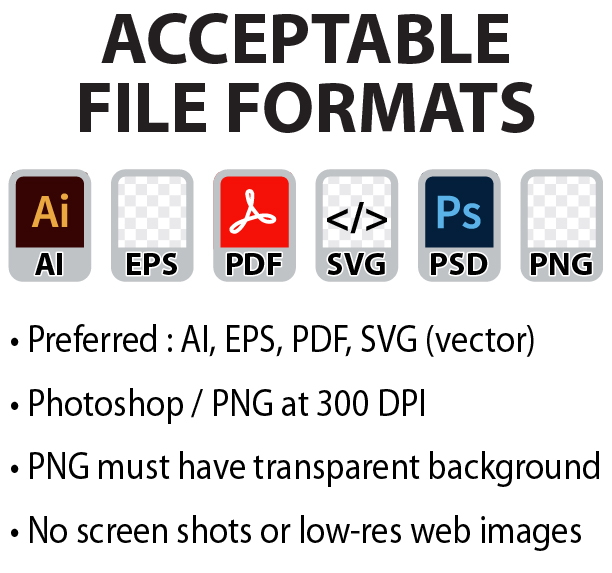
Acceptable File Formats

  • Preferred: AI, EPS, PDF, SVG (vector)
  • Photoshop / PNG at 300 dpi minimum
  • Transparent background for PNGs
  • No screenshots or low-res web images
Artboard & sheet sizes for Stoopid DTF transfers

Artboard & Sheet Sizes

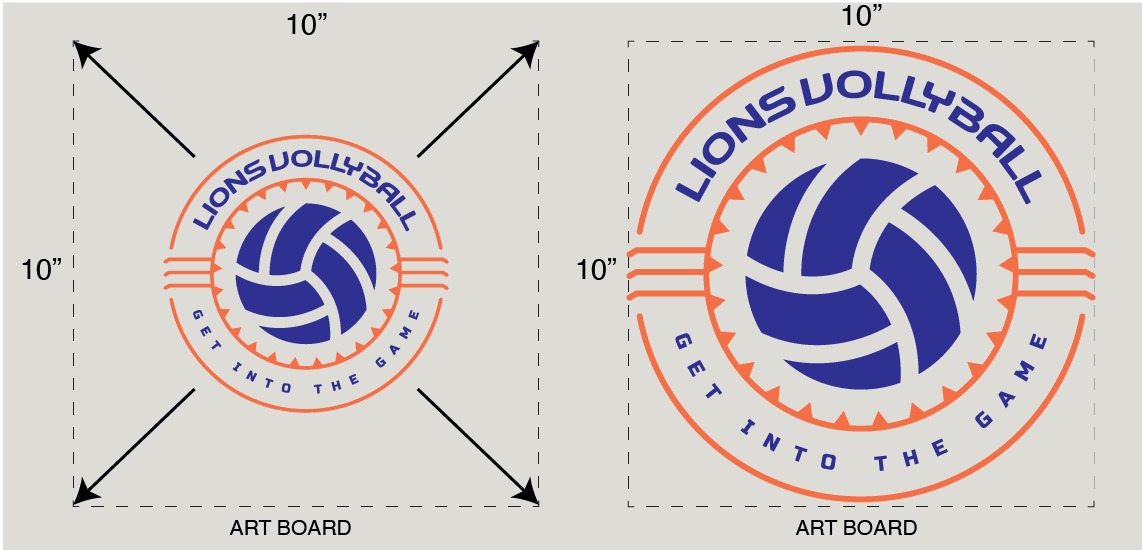
  • Design at 100% final print size
  • If you want your design to print at 10"x10", your art must be at that size and not just your artboard
  • Keep 0.125" margin from sheet edge
Fonts and text requirements

Fonts & Text

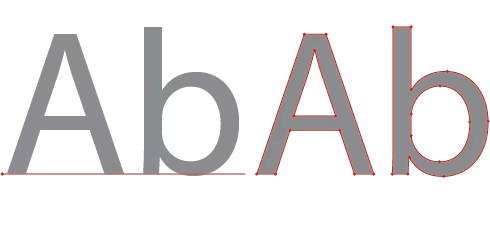
  • Convert all text to outlines/curves
  • No live fonts or missing typefaces
  • Avoid ultra-thin script fonts
  • Check spelling before submitting
Minimum detail and negative space guidelines

Detail & Negative Space

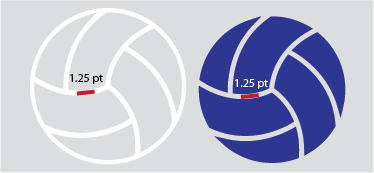
  • Minimum line thickness: 1.25 pt (≈0.017")
  • Minimum negative space: 1.25 pt
  • Avoid tiny isolated dots or hairlines
  • Keep small details bold and clean

1. File Preparation

For best results, submit vector artwork whenever possible.

  • Vector: AI, EPS, PDF, SVG
  • Raster: PSD or PNG at 300 dpi or higher
  • Remove unused layers and hidden objects
  • Flatten special effects such as glows or textures
Note: Files that require cleanup, tracing, or re-drawing may incur additional art charges and delay production.

2. Color & Background

DigiPrintz uses a CMYK-based DTF process through Stoopid DTF. Colors may look slightly different on-screen compared to transfers pressed on fabric.

  • Use solid colors whenever possible for clean edges
  • Transparent background is required unless a background is intentional
  • Avoid semi-transparent pixels (fades from 100% to 0% opacity)
  • We do not offer color matching for DTF prints. This includes spot colors, Pantone colors, matching colors from other products we sell, or even matching DTF prints between separate production runs. If you are concerned about how a specific color will print, we strongly recommend ordering a small sample run first, or downloading our DTF Color Chart for reference. Our basic color chart can also be ordered as a DTF print. It provides a general guide to which CMYK values to use, but because colors can shift during the printing process, we cannot guarantee an exact color match.
Customer tip: Drop Shadows are not recommended.

3. Lines, Detail & Registration

Very fine detail can break up during printing or when transferred to textured garments.

  • Keep strokes at or above 1.25 pt (~0.017")
  • Keep gaps/negative space at or above 1.25 pt
  • Use bold outlines around small objects when possible
  • Avoid tiny floating pieces or dust-size specs in the design

4. Fonts & Text Handling

Always outline or rasterize type before sending files to DigiPrintz / Stoopid DTF.

  • Illustrator: Type → Create Outlines
  • CorelDRAW: Arrange → Convert to Curves
  • Photoshop: right-click text layer → Rasterize Type
  • Check for typos, spacing, and alignment prior to submission

5. Submission & Proofing Policy

All DigiPrintz / Stoopid DTF orders are printed from the exact file you submit.

  • Artwork must be print-ready at final size
  • No automatic redesign, resizing, or spell-checking is performed
  • Proofs are provided only when requested and may add processing time
  • Resubmissions or corrections may delay ship dates
By submitting your artwork, you confirm that you own or have permission to use the design and understand these specifications.

© 2026 DigiPrintz & Stoopid DTF. All rights reserved.